
Introduction
For movie and TV show fans, finding the perfect subtitles can be a hassle, especially when subtitles are missing or out of sync. VLSub OpenSubtitles.com, a cutting-edge VLC extension, solves this problem by seamlessly integrating subtitle downloads from OpenSubtitles.com directly into VLC media player. This article explores the features of VLSub OpenSubtitles.com, compares it to the older VLSub for OpenSubtitles.org, and explains why it’s a must-have for VLC users.
What is VLSub OpenSubtitles.com?
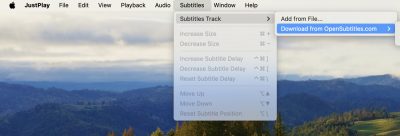
VLSub OpenSubtitles.com is a modern VLC extension that allows users to search and download subtitles from OpenSubtitles.com, the world’s largest subtitle database, without leaving the VLC interface. It leverages the OpenSubtitles.com REST API v1 to deliver a fast, reliable, and user-friendly experience, making it ideal for enjoying movies and TV shows in any language.
Key Features
VLSub OpenSubtitles.com is packed with features that enhance the subtitle experience:
Feature | Description | Benefit |
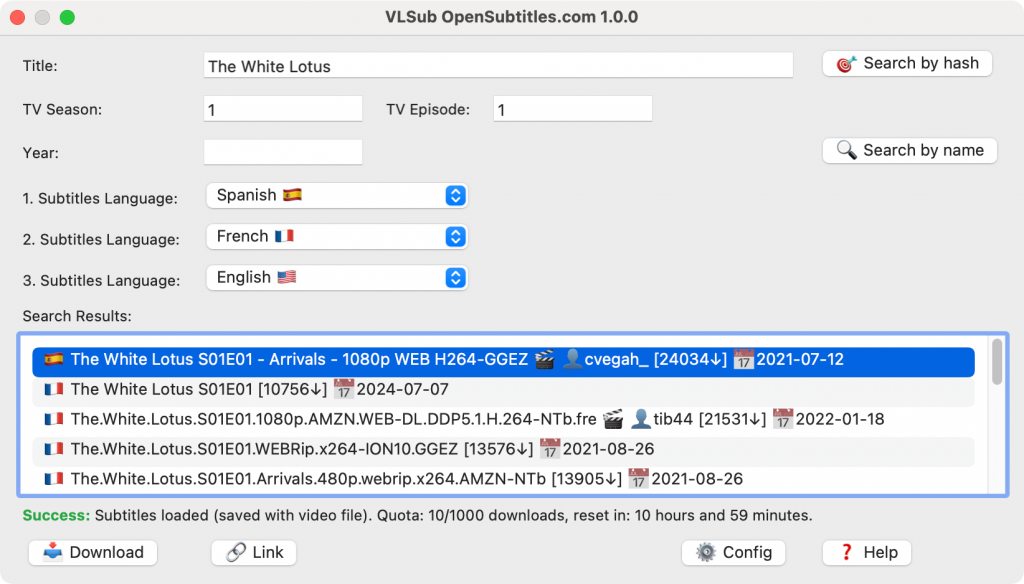
Smart Search | Combines hash-based, name-based, and GuessIt API integration for precise subtitle matching. | Ensures accurate subtitles, reducing sync issues. |
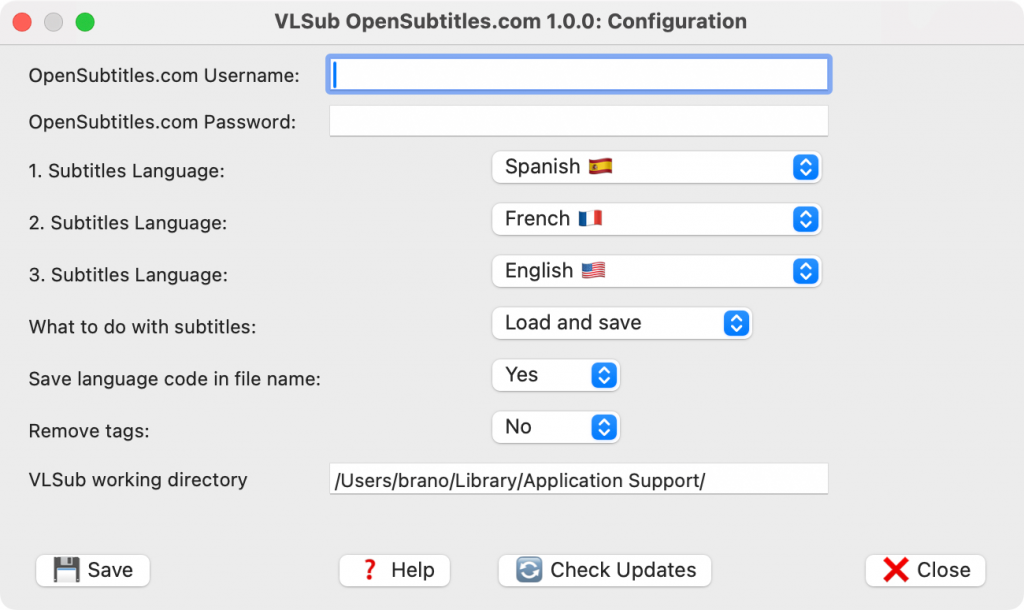
Multi-language Support | Supports over 100 languages, with up to three preferred languages selectable. | Caters to global audiences and multilingual viewers. |
Modern REST API | Uses OpenSubtitles.com REST API v1 for improved performance. | Delivers faster and more reliable subtitle downloads. |
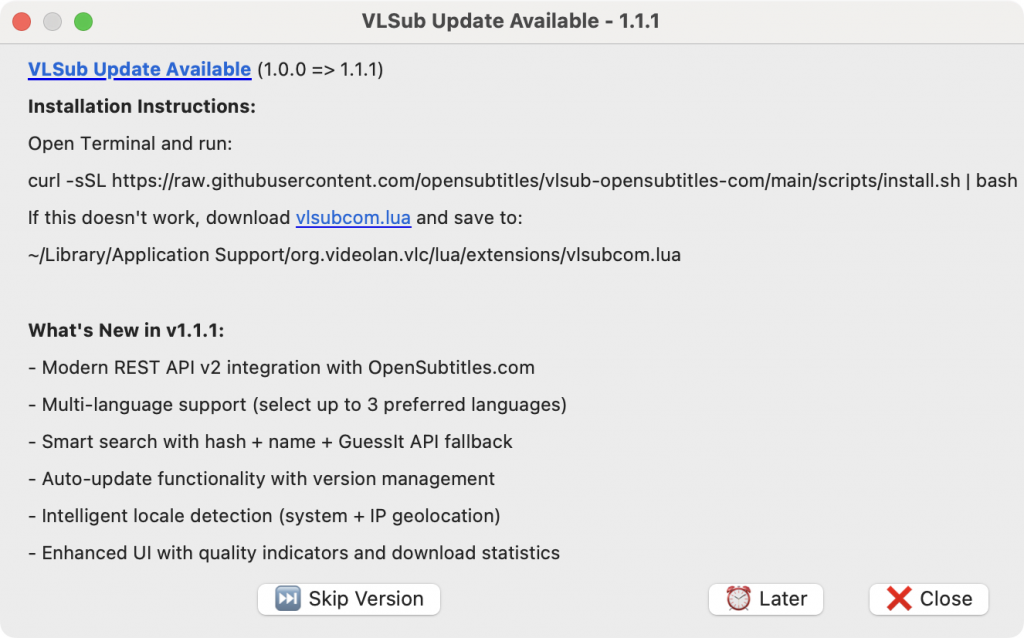
Auto-updates | Built-in mechanism keeps the extension compatible with VLC. | Ensures a seamless experience with the latest VLC versions. |
Quality Indicators | Displays trusted uploaders, download counts, sync quality, and ratings. | Helps users choose high-quality subtitles confidently. |
Flexible Downloads | Auto-load subtitles or save manually with language codes. | Offers control over subtitle usage. |
Locale Detection | Automatically suggests languages based on system settings, timezone, or IP geolocation. | Enhances relevance for local viewers. |
Comparison with the Old VLSub
The original VLSub, tied to OpenSubtitles.org, faced several challenges that limited its effectiveness. VLSub OpenSubtitles.com addresses these issues with significant improvements:
Aspect | Old VLSub (OpenSubtitles.org) | New VLSub (OpenSubtitles.com) |
API | Legacy XML-RPC, slow and outdated. | REST API v1, fast and modern. |
Compatibility | Incompatible with VLC 2.1.x and newer versions (e.g., 3.0.x). | Fully compatible with the latest VLC versions, with auto-updates. |
Search Methods | Basic hash/name-based search. | Advanced search with hash, name, and GuessIt API integration. |
Language Support | Single language selection. | Up to three preferred languages, supporting over 100 languages. |
Quality Indicators | Limited information. | Detailed metrics (trusted uploaders, sync quality, ratings). |
Authentication | Optional, but free users faced download limits (e.g., 5-10 per day). | Requires a free OpenSubtitles.com account for full access. |
Performance | Slower due to XML parsing. | Faster with JSON API and smart metadata extraction. |
Why Choose VLSub OpenSubtitles.com?
It seems likely that VLSub OpenSubtitles.com offers a superior subtitle experience for several reasons:- Convenience: Eliminates the need to browse external websites, allowing subtitle downloads directly in VLC.
- Accuracy: Advanced search methods ensure precise subtitle matches, minimizing sync issues.
- Customization: Users can select up to three preferred languages and filter subtitles by quality indicators.
- Global Accessibility: With support for over 100 languages, including English, Spanish, French, Chinese, and regional variants, it caters to diverse audiences.
- Reliability: The modern REST API and auto-updates ensure consistent performance and compatibility.
Installation Guide
Installing VLSub OpenSubtitles.com is straightforward across platforms:- Windows: Open PowerShell and run: Set-ExecutionPolicy -ExecutionPolicy RemoteSigned -Scope CurrentUser; iwr -useb https://raw.githubusercontent.com/opensubtitles/vlsub-opensubtitles-com/main/scripts/install.ps1 | iex
- macOS/Linux: Open a terminal and run: curl -sSL https://raw.githubusercontent.com/opensubtitles/vlsub-opensubtitles-com/main/scripts/install.sh | bash
Community and Contribution
As an open-source project, VLSub OpenSubtitles.com welcomes community involvement. Developers and enthusiasts can contribute via the Contributing Guide. Users can also support the project through donations at OpenSubtitles.com Support.Addressing Past Concerns
The old VLSub faced criticism for API issues, download limits, and compatibility problems, as seen in discussions on Reddit and the OpenSubtitles Forum. VLSub OpenSubtitles.com resolves these with a modern API, full compatibility, and enhanced features. While some users may find the account requirement inconvenient, it ensures a sustainable and high-quality service.Conclusion
VLSub OpenSubtitles.com is a game-changer for VLC users, offering a fast, accurate, and customizable subtitle experience. By addressing the shortcomings of the old VLSub, it delivers a reliable solution for enjoying global content. Install VLSub OpenSubtitles.com today and elevate your viewing experience.Call to Action
Ready to transform your VLC experience? Install VLSub OpenSubtitles.com now via GitHub. Share your feedback on the OpenSubtitles Forum or contribute to its development. Happy watching!Screenshots










Start the discussion at forum.opensubtitles.com